
AI Translations ✨
Introduction
The Core-commerce DMS supports translations using AI, powered by OpenAI and DeepL. In the next steps we will share how you can enable and use this.
Activate AI Translations
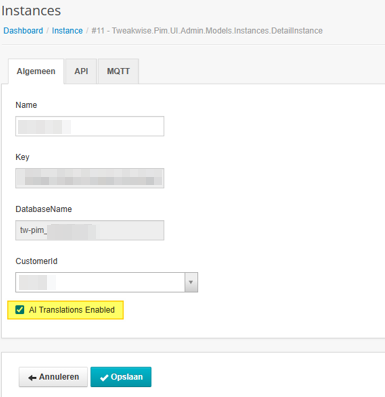
Per instance it is needed to enable the AI translations in our DMS admin
Orisha Commerce only
Configure AI model
After AI translations feature is enabled, in the DMS backstage settings this set-up can be configured.
| Setting | Remarks |
|---|---|
| Language entity | Entity which is |
| Translator | Translator to be used, options: OpenAI, DeepL |
| DeepL Api Key | In case of 'translator' DeepL, fill in the API Key from DeepL |
| DeepL Plan | Deepl Plan type (*) |
Translator: OpenAINo more configuration is needed, Orisha Commerce resources (costs) are used. Usage costs will be applied.
Translator: DeepLDeepL ApiKey and DeepL Plan should be filled in. FreePlan has a very limited quota of 500k characters per month.
Language entity
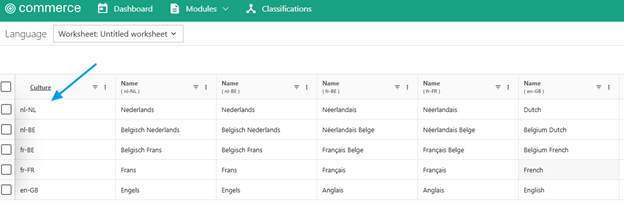
The language entity should be configured to have a key field having a locale value like below: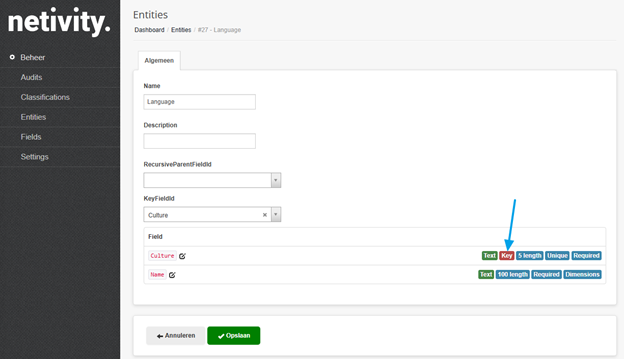
In the DMS this culture should be used as a dimension value on an entity: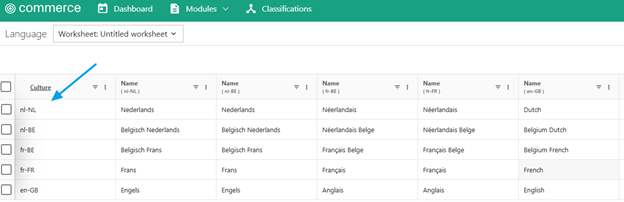
Usage
AI Translate can be called from the context menu of a translatable field for all filtered records or from the top right corner button for selected rows. Combined usage is not possible.Context menu button:
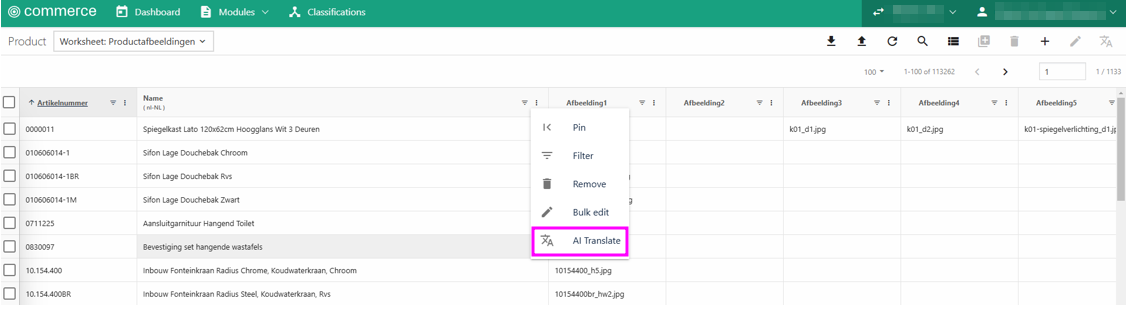
Actions after top right button:
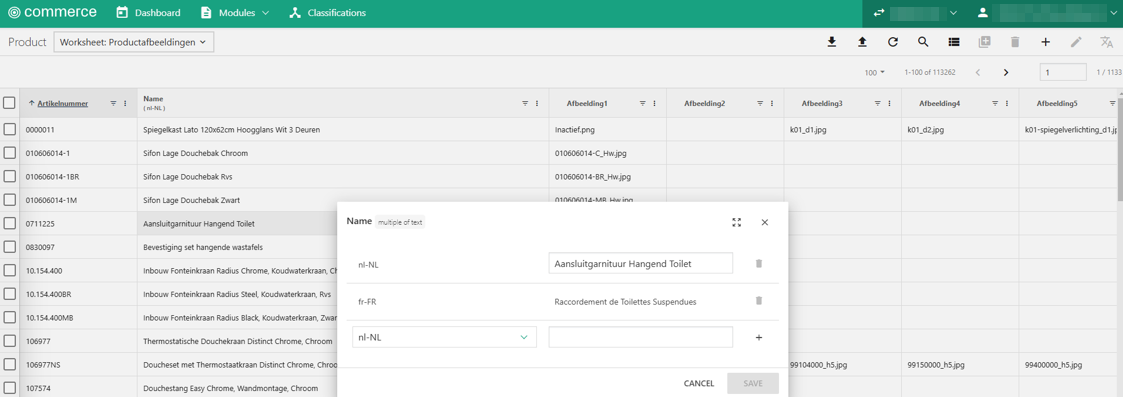
Once it is processed (details below), it can be seen after refresh of the grid, that the value is there:
Translation process
Once AI translate request(s) are sent, it creates messages in the queue. There is a single queue per all instances/customers. So keep in mind that it can take time to process. Especially if it is a bulk action for many rows.
Also, it is possible to have a cold-start of the apps used in the process.
Important remarks
- The translation is not overwriting any existing value in current scenario. So if there is a translation value in place for a field, it will not change it.
- Keep in mind that the AI Translate function (as bulk edit also) called from the context menu of a field, applies the changes to all filtered records.
- Do not try to remove a language value for a field using Bulk edit function. It will overwrite all the language values for the field. It may cause to a data loss for all language values per field.
Updated about 1 year ago