
Newsletter (SaaS)
Introduction
Core-commerce has support for registering newsletter subscriptions from the footer and the checkout. Currently we support both 'MailChimp' and 'Mailblue'.
Configure Mailblue (ActiveCampaigns) details
The Mailblue configuration is configured in the resources.json under 'mailblue'. See: scaling
The following properties can be configured:
- apiTokenRef: The reference to the API key in the Key Vault
- enabled: Is the newsletter subscribe enabled?
- listId: The Mailblue list Id on which newsletter subscribers should be added
- accountName: The accountName for Mailblue
Example Mailblue configuration
{
    "mailblue": {
        "enabled": true,
        "listId": "{listId}",
        "apiTokenRef": "{projectName}--MailblueApiToken",
        "accountName": "{accountName}"
    }
}
On each subscribe also the IP-address and language are added based on the locale during the subcription. When not set, the default language is 'nl'.
Configure Mailchimp details
The Mailchimp configuration is configured in the resources.json under 'mailchimp'. See: scaling
The following properties can be configured:
- apiKeyRef: The reference to the API key in the Key Vault
- enabled: Is the newsletter subscribe enabled?
- listId: The MailChimp list Id on which newsletter subscribers should be added
- serverPrefix: The Server Prefix on which server the customer is hosted in MailChimp
- status: The default status for new newsletter subscribers Possible values:
- subscribed
- unsubscribed
- cleaned
- pending
- transactional
- tags: The tags that will be added on each newsletter subscribers. Default always 'webshop', multiple tags can be configured
Example MailChimp configuration
{
    "mailchimp": {
        "enabled": true,
        "listId": "{listId}",
        "apiKeyRef": "{projectName}--MailchimpApiKey",
        "serverPrefix": "us13",
        "status": "subscribed",
        "tags": [ "webshop" ]
    }
}
On each subscribe also the IP-address and language are added based on the locale during the subcription. When not set, the default language is 'nl'.
Configure newsletter subscribe in Strapi
In Strapi the newsletter functionality can be configured.
Single-type: Checkout
In the check-out 'Single type' it is possible to enable/disable the newsletter checkbox in the checkout: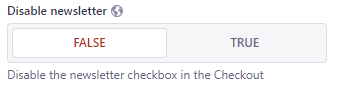
Single-type: Footer
In the check-out 'Single type' it is possible to enable/disable the newsletter checkbox in the checkout.
The following fields can be used:
- Show newsletter subscribe: To toggle the newsletter subscribe visiblity
- Newsletter subscribe - Title: Configure the title (optional)
- Newsletter subscribe - Subtitle: Configure the subtitle (optional)
In the front-end the component is shown directly above the footer as followed:
Newsletter subscribe event
Newsletter-subscribe events are added to the Azure Servicebus with the name 'default' and with the topic 'newsletter'. The Servicebus is then processed separately where the subscriptions are added to MailChimp.
Subscribe from Checkout
After an order is succesfully placed and the customer has 'checked' the newsletter subscription, the subscription is added on the Service bus with the language based on the current locale. Here the first part of the locale is used, for example 'en-GB' will result in the language 'en'.
Subscribes from the checkout will always have the tag 'CheckoutFlow'.
For Mailblue also the %FIRSTNAME%/%LASTNAME% parameters will be filled with the customers name as submitted in the checkout.
For MailChimp also the FNAME/LNAME merge parameters will be filled with the customers name as submitted in the checkout.
Subscribe from footer
When the customer subscribe in the footer, the subscription is added on the Service bus with the language based on the current locale.
Subscribes from the footer will always have the tag 'FooterFlow'.
Updated about 1 year ago