
Cookie consent
The Core-commerce cookie consent implementation is based on requirements formed by autoriteit persoonsgegevens . In Core-commerce there is a minimal required version which only allows the options 'Accepted' or 'Denied'. If this is not suitable for the application, than a third-party supplier is needed for this occassion.
Examples of these kind of parties are Cookiebot or Cookie Yes . The integration is partly similar for Google Tag Manager but might differ in details. To disable the default cookie banner of Core-commerce, look into the corresponding module in your Headless CMS.
Cookie Banner
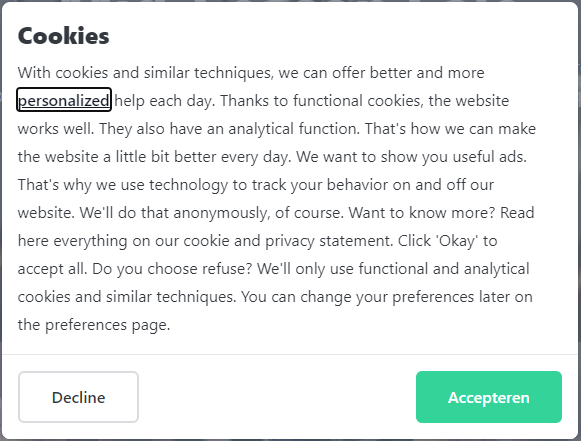
The Core-commerce cookiebanner looks like below. The main purpose of the cookiebanner is; the user is required to take action and it follows the guidelines of autoriteit persoonsgegevens .
The user is not able to click on the background, it has to make a decision. Based on that decision the Google Tagmanager (GTM) is informed and the flow is handled within GTM. Examples on how to configure GTM are described below .
Google Tagmanager (GTM)
After the user made a decision on the cookiebanner GTM will receive an event. Follow the following guidelines to setup GTM correctly to support consent. This allows you to configure GTM with consent options on every tag. There two moments when the GTM might load tags based on consent;
- When the user accepts the Cookie consent
- When the user already accepted the Cookie consent and the user returns to the appTo allow both of these moments to load the tags, the tags should be loaded based on an event. The pageview event (which is the default normally) is not correct because it might load the tag without knowning the consent. The app will always execute an event after the pageload to make sure the tags are loaded. The event looks like this:
\{ "event": "consent", "target": "consent", "action": "update", "target-properties": "granted|denied", } - You don't have to look at the values in the event. If the guidelines are followed than GTM will handle the consent rules based on the event the app will execute.
- More detailed information about that flow is listed over here . These guidelines are implemented within the app itself.
- When the user already accepted the Cookie consent and the user returns to the appTo allow both of these moments to load the tags, the tags should be loaded based on an event. The pageview event (which is the default normally) is not correct because it might load the tag without knowning the consent. The app will always execute an event after the pageload to make sure the tags are loaded. The event looks like this:
Cookie configuration
Under 'Notification' in 'Strapi' you can configure the cookie notification. The 'cookie notification content' is used in the cookie notification modal:
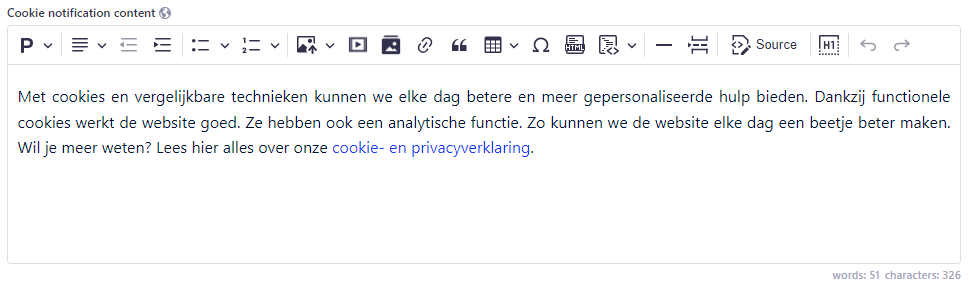
With 'Disable notification' you can configure a Third-party cookie implementation (see above) using GTM. This means Core-commerce won't show the cookie notification:

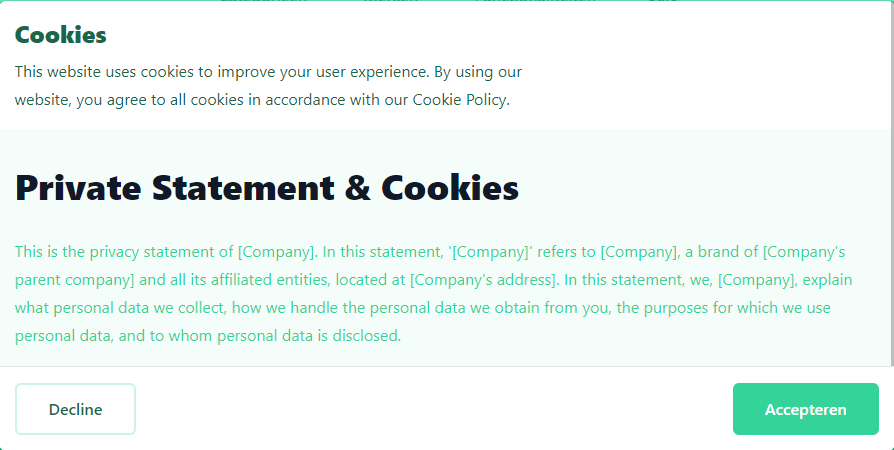
When you configure the 'Statement page', this contentpage will be used in the cookie-policy, the result is a new button 'Show details' (localized):
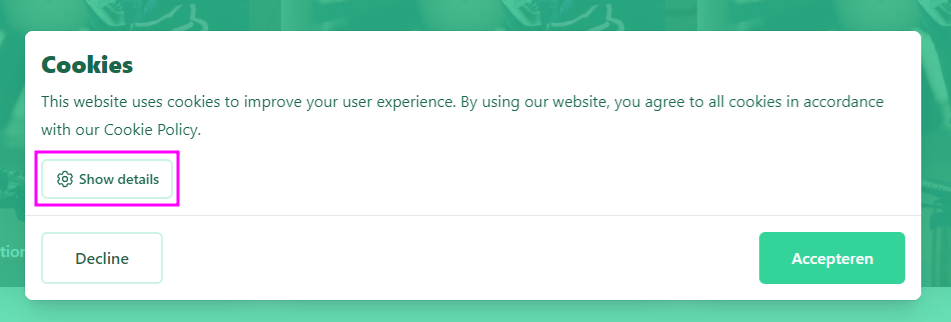
When you click on the button, the full cookie policy is shown directly. This makes sure you can read it, before choosing 'Decline' or 'Accept':
Cookie Policy
Core-commerce is not responsible for delivering the cookies banner text and the cookie policy itself. A few tips on how to configure and maintain these pages;
- The cookiebanner text is configureable within the platform. Make sure there is a link within the text that links to the cookie policy. This is also the focus-trap link of the banner.
- The cookie policy should contain a list of used cookies. The app itself is using functional cookies for the purpose of the app itself.
Updated about 1 year ago