
Personalization (SaaS)
Introduction
Core-commerce has support for personalized products. By using personalization, it is possible for customers to personalize the product, for example with their own name or team name.
Starting point assumptions
- Max. characters is limited to 30 and one-line
- Personalized products are always shown per unique item in the Cart
Configure Personalization
The personalization configuration is configured in the resources.json under 'personalization'. See: scaling
Example Personalization configuration
{
    "personalization": {
        "key": "isPersonalisable",
        "value": "true"
    }
}
Personalization set-up
When personalization for a product is enabled, this will be visible in the following ways:
- Lister
- On the product card a localized 'Personalization' label is shown:
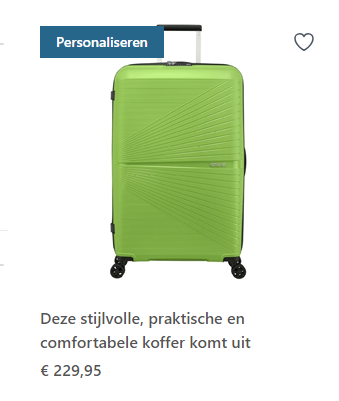
- On the product card a localized 'Personalization' label is shown:
- PDP (Product detail page)
- On the PDP a 'personalization' label is shown and a checkbox to add a personalization:
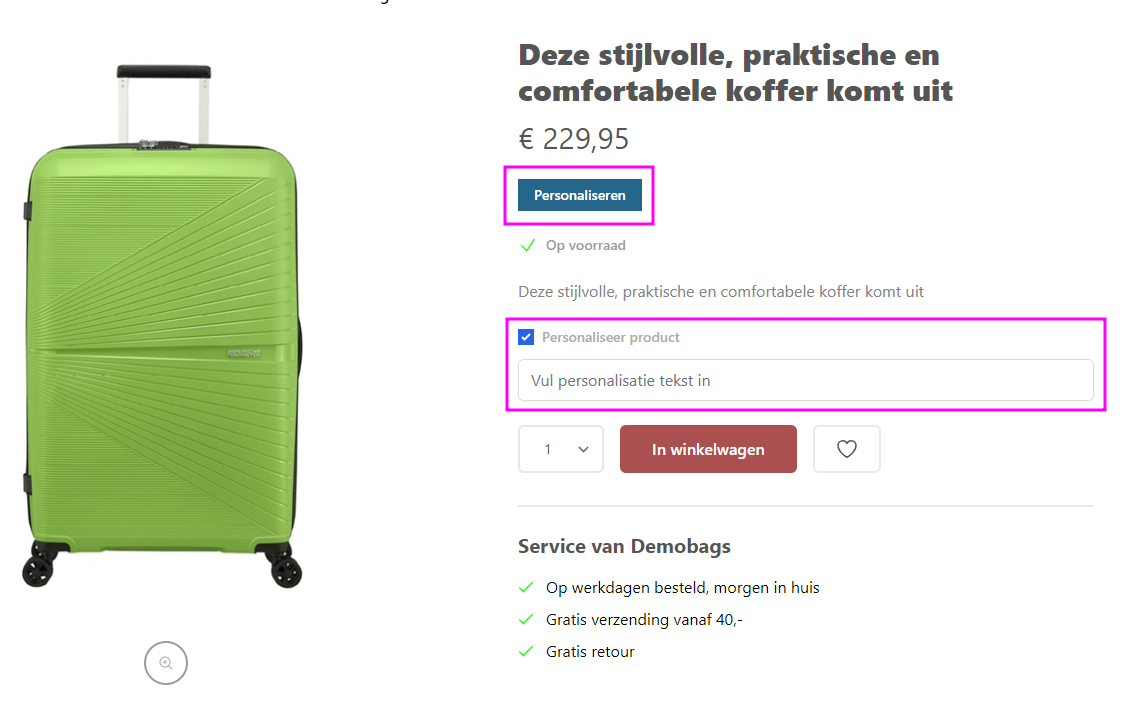
- On the PDP a 'personalization' label is shown and a checkbox to add a personalization:
- Cart
- In the cart personalized products are always shown per unique item. By clicking on 'edit', the personalization can be edited:
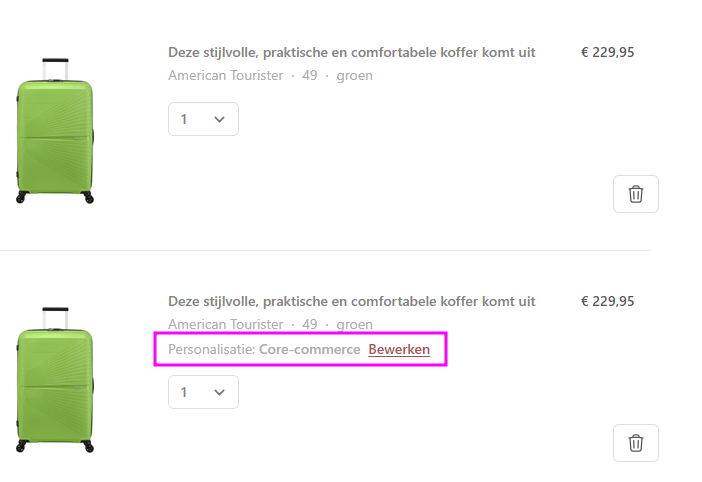
- In the cart personalized products are always shown per unique item. By clicking on 'edit', the personalization can be edited:
- Checkout
- In the check-out the personalization is visible in the summary, equal to the Cart
- Order confirmation
- In the order confirmation, per product on the second line the personalization is shown
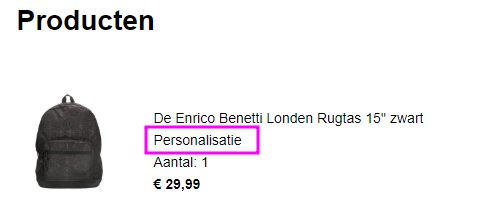
- In the order confirmation, per product on the second line the personalization is shown
Updated about 1 year ago
Did this page help you?